Axxon One 3.0: Enhanced Security, Smarter Search, Faster Workflows
AxxonSoft has released version 3.0 of its intelligent video management platform Axxon One. The update introduces new cybersecurity and access management features to meet strict enterprise standards, expands video analytics and archive investigation capabilities, and delivers a faster, more intuitive user experience across configuration, operation, and search workflows.
The platform’s Vision-Language Model (VLM) now powers both real-time scene understanding and archive search — enabling users to detect and retrieve events using natural language, without preconfigured rules.
Key Enhancements
Bookmarks: Organize and Retrieve Critical Footage Efficiently
A bookmark is a selected fragment of video archive from one or multiple cameras, with a defined time interval, marked areas of interest, comments, and categories.
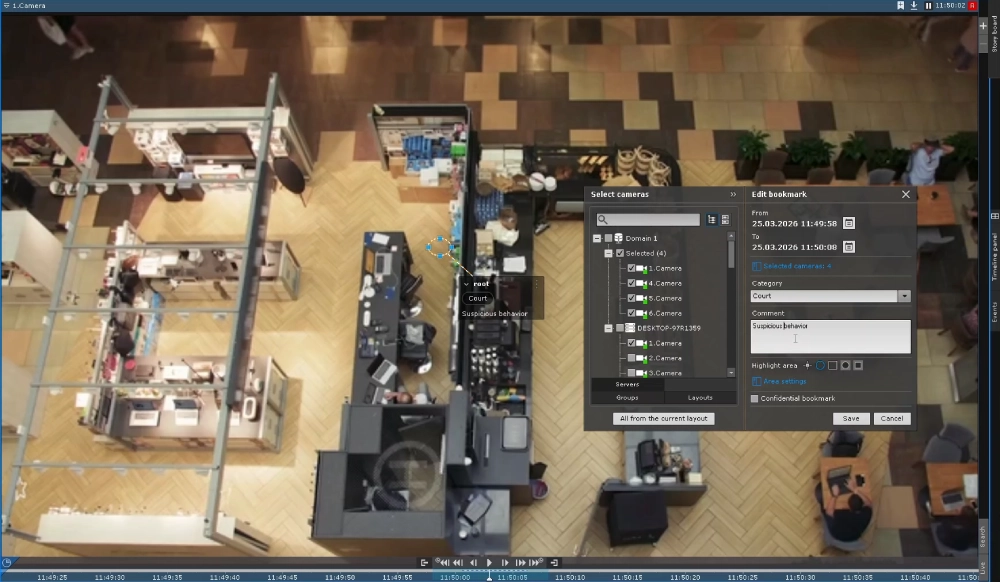
All bookmarks appear in a dedicated panel with text search by name, comment, or category. Users can view, export, edit, or delete bookmarks, with access controlled by user roles. Bookmarks integrate directly into export workflows, including overlay of metadata and regions of interest — accelerating evidence handling and reporting.

Updated Export: Flexible, Compliant, Ready to Share
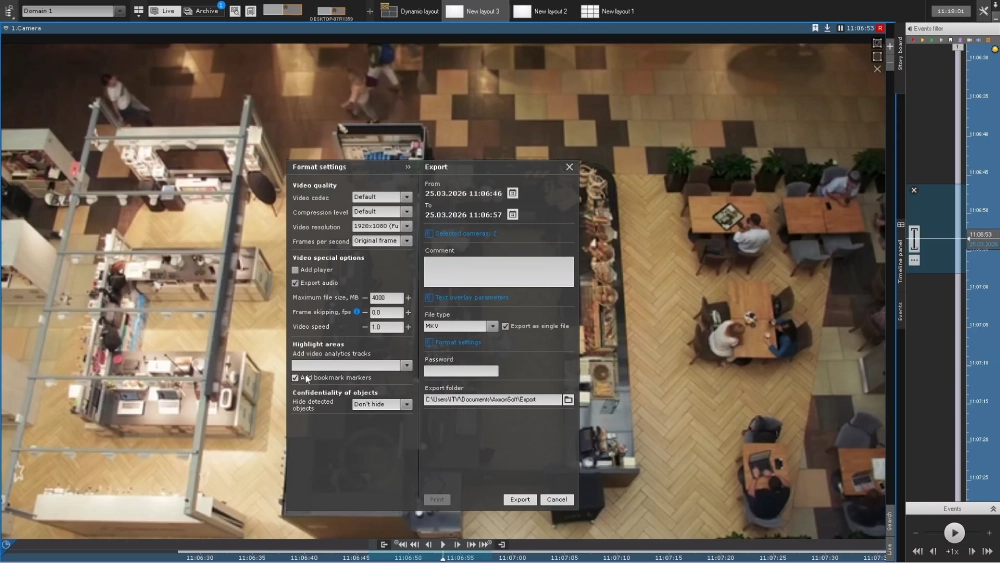
Export settings are now embedded directly in the export window for faster setup. Users can adjust parameters such as codec, compression level, frame rate, and resolution of exported fragments, and configure captions — including date/time, camera name, coordinates, username, and event metadata — with customizable font style and overlay method (rendered or embedded).
Multiple cameras can be exported as separate files, a single multi-track file, or an executable with a built-in player for synchronized playback.
Additional improvements:
- Export templates and watermark settings are managed at the domain level.
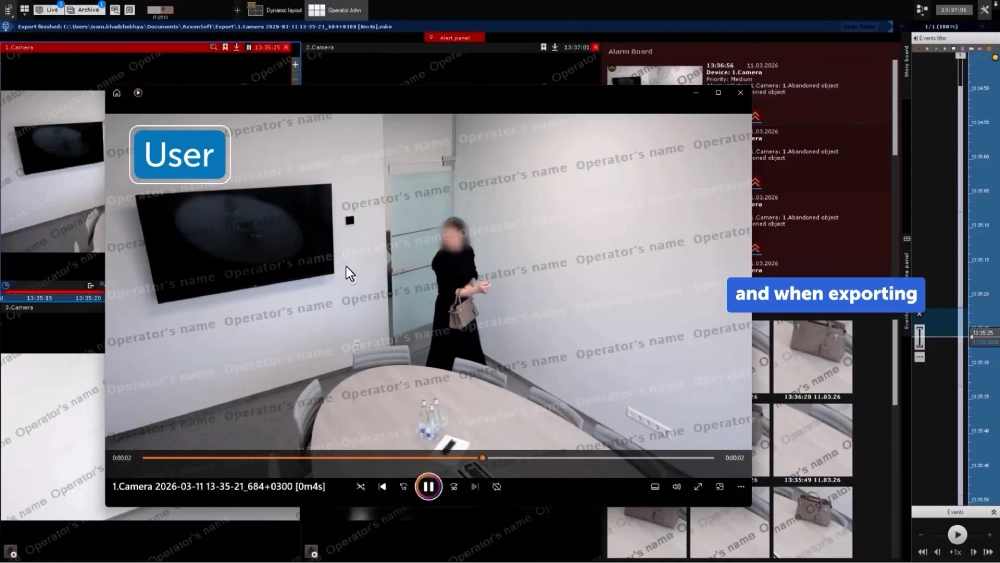
- Operator name watermarks can be embedded for audit and compliance.
Multi-Camera Tracking: Continuous Object Monitoring Across Sites
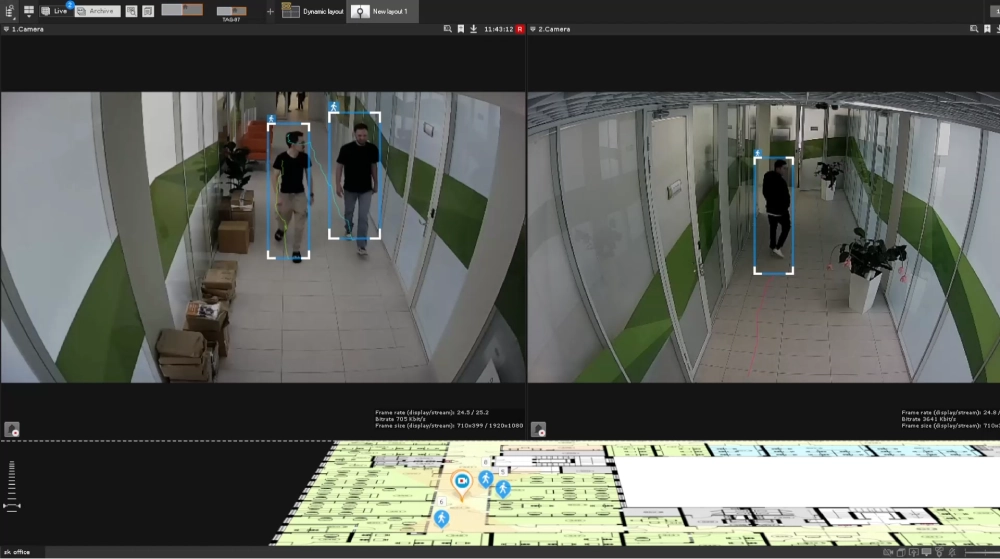
Axxon One 3.0 introduces real-time multi-camera tracking with continuous map visualization. Using a similarity-based algorithm, the system synchronizes object positions between live streams and the map — ensuring reliable tracking across large-scale physical protection systems.
Text-to-Scene Matching for Archive Search
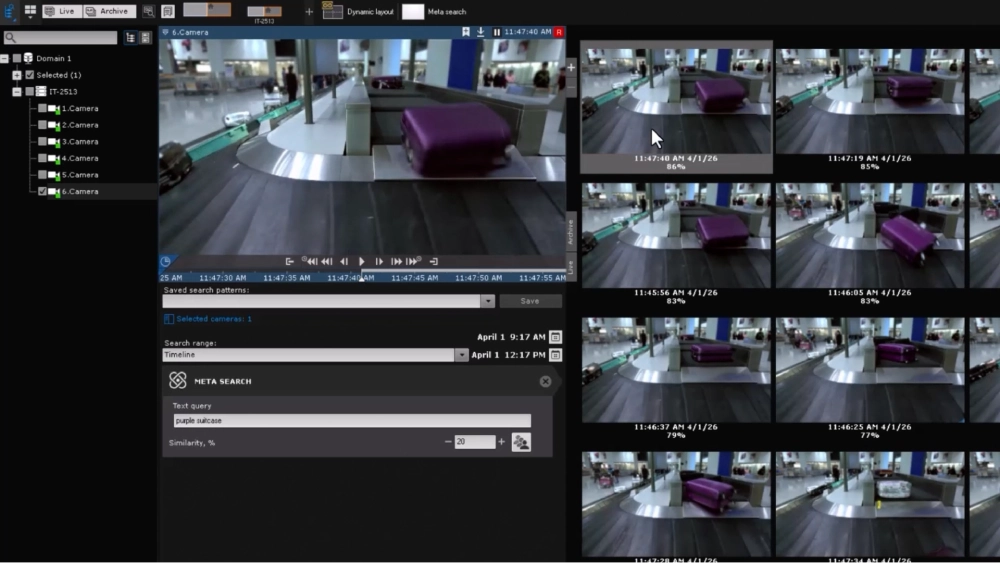
Axxon One 3.0 extends its Vision-Language Model (VLM) to archived video, enabling text-to-scene understanding: users can search recordings using natural-language queries like “human and dog” or “woman wearing a black dress”.
Previously available only in real time via Meta-detector, VLM now also powers archive investigation through Meta-search, turning the model into a versatile tool for both real-time awareness and post-event analysis. This eliminates the need for preconfigured detectors: users can find specific or rare events after the fact, using plain English descriptions.
Effective queries specify:
- Object type,
- Attributes (color, clothing, size),
- Environment,
- Scene details (angle, position).
Examples: running person wearing pink, person climbing a fence, package left at the entrance, white car at a crosswalk top view.
LDAP Synchronization: Streamlined User Lifecycle Management
Enhanced LDAP integration simplifies user management in corporate environments:
- Maps LDAP groups to Axxon One roles.
- Supports nested LDAP groups through multiple role assignments.
- Supports automatic and manual user synchronization.
- Dynamically updates permissions when users are moved within the directory tree.
Secure Communications: Enterprise-Grade Encryption
Axxon One now supports both operating system TLS certificates and third-party certificates issued by customer-trusted certification authorities — meeting strict corporate security requirements. The platform has also completed full migration to OpenSSL 3.x, strengthening cryptographic security for all TLS-based communications. Additionally, token-based authentication is now available for secure API integrations.
Usability and Performance: Faster, Smoother, Scalable
Configuration changes now apply significantly faster in non-clustered systems, while optimized event and multimedia data transfer improves performance in deployments with many client workstations. The platform also features an updated NTP-based time synchronization mechanism for greater accuracy and reliability.
Fast Macro Configuration: Set Up Scenarios Quickly
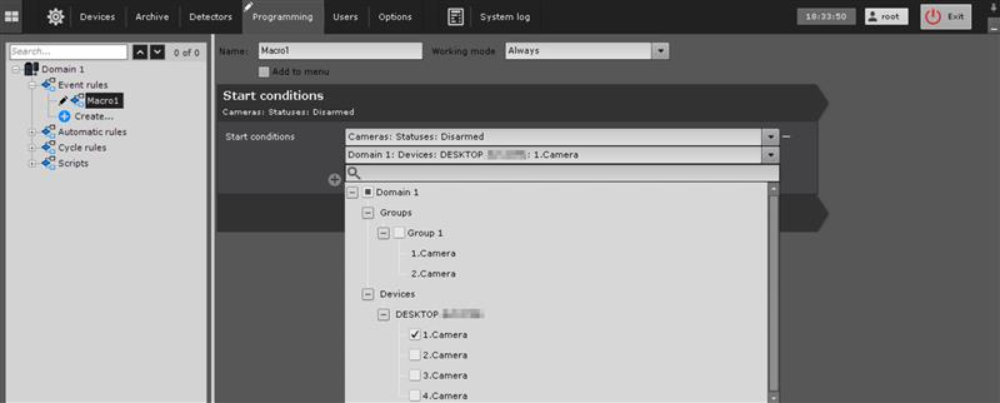
Automatic response scenarios (macros) can now be configured for thousands of devices in a few clicks. Object grouping allows quick selection of domains, camera groups, or servers — drastically reducing setup time in large installations.
Quick Motion Search: Investigate from Live Video
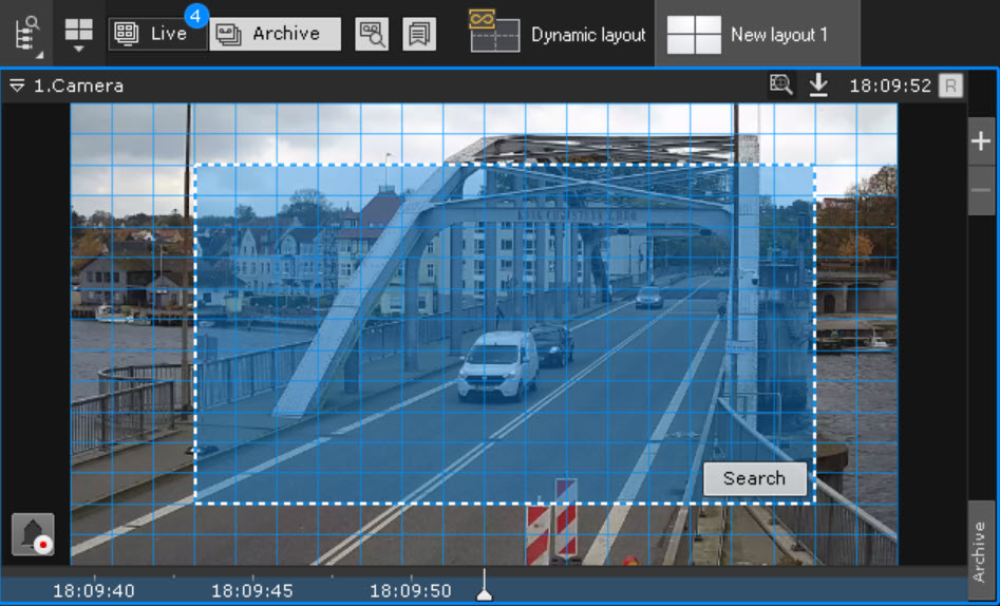
Users can launch motion-in-area archive search directly from the camera window — even from live video — enabling faster incident investigation. A dedicated button initiates search mode, allowing users to define an area of interest and start the query immediately. Results appear in the search interface, where parameters can be refined or additional criteria applied without leaving the workflow.
Updated User Interface: Speed and Clarity
Numerous UI enhancements improve daily workflows:
- Optimized top panel for faster access.
- Separation of client and domain settings.
- Improved navigation, object grouping, and layout sorting by name.
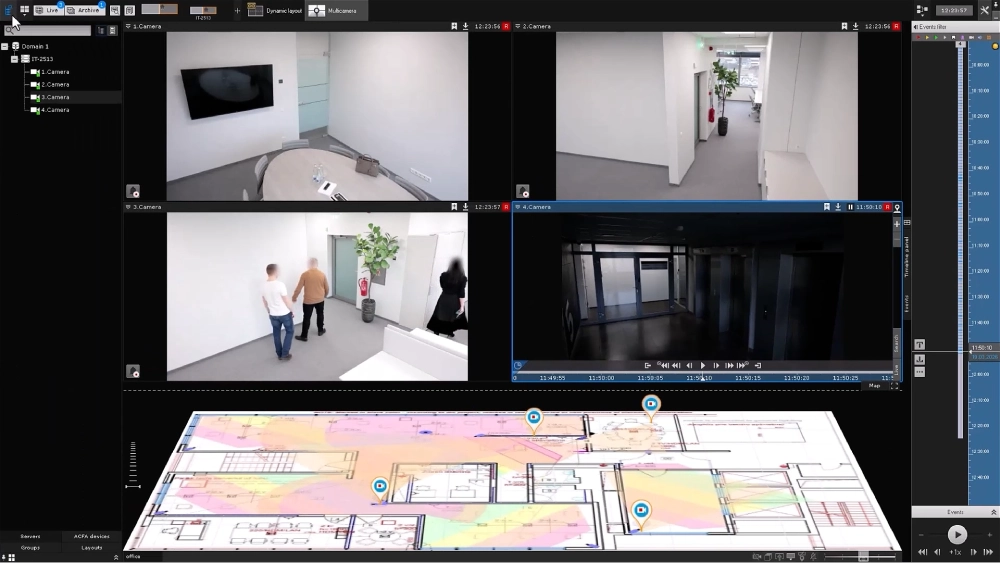
The object panel now includes:
- Device search.
- Flexible object tree display modes.
- Camera thumbnails.
Additional updates:
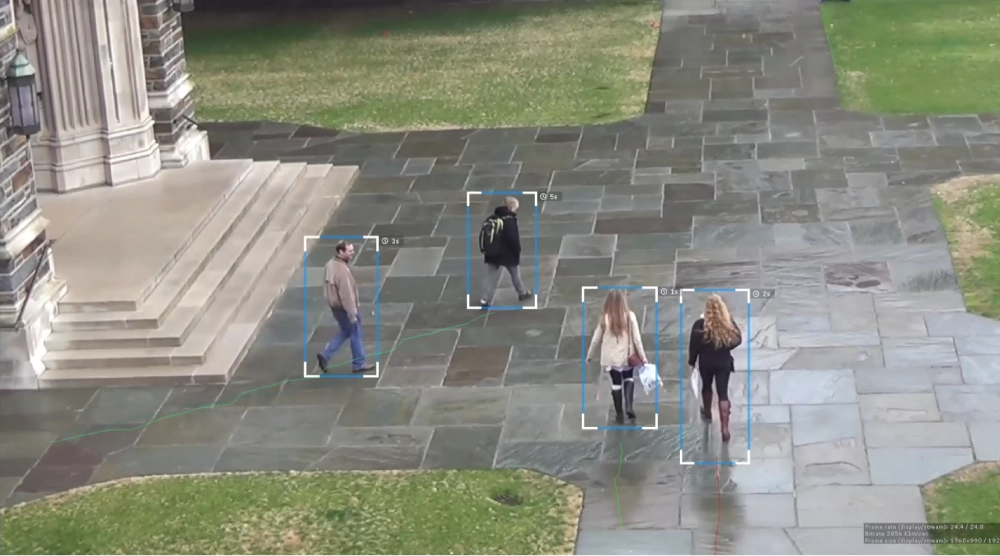
- Display of track lifespan in the surveillance window for detectors that generate tracks.
- Ability to temporarily disarm cameras for a specified duration.
Cybersecurity: Built for Enterprise Trust
Configuration Encryption
All sensitive data is protected via the unified Vault mechanism. A unique decryption key is generated when the configuration is created and is accessible only to administrators, ensuring that no one else can decrypt the stored credentials.
Database Security
The event database follows the principle of least privilege. Access is granted through application roles — no superuser account required. This is critical for enterprises running Axxon One on their own PostgreSQL instance.
User Access Restrictions
Operator name watermarks can be applied to all video views and exports. When enabled, restricted users cannot obtain clean video or snapshots. In addition, granular access control is now enforced for search by face, license plate, vehicle attributes, and visual similarity.
Additional Improvements
- Added support for modern NVIDIA GPU architectures (Hopper, Blackwell).
- Improved web client stability and security.
- Simultaneous replication of multi-camera archives with dedicated management interface.
- Simplified integration of third-party analytics with metadata transmission in native Axxon One format.
Availability
The Axxon One 3.0 installation packages and release notes are available on the download page.